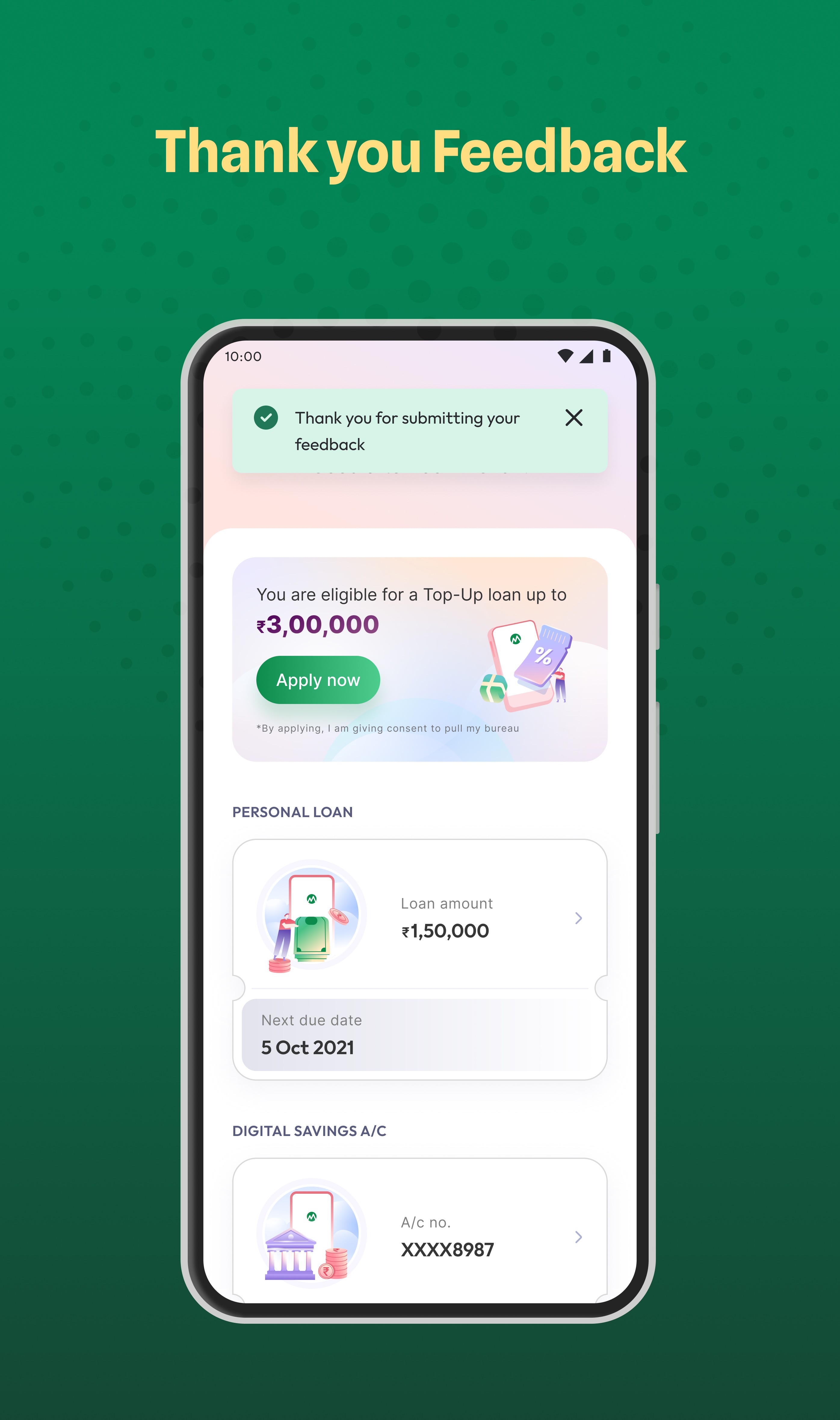
Boosted NPS from 47 → 61 points at MoneyView by Simplifying the NPS Experience
🚩Background & Why This Project Started
Money View relies heavily on NPS (Net Promoter Score) to understand customer satisfaction after key actions in the app.
However, the team noticed something odd:
users were giving Low ratings but writing positive feedback.
This mismatch raised a concern — the problem wasn’t user satisfaction, but how users understood the rating experience.
As an intern, I was asked to explore this problem and help improve the NPS experience in the app.
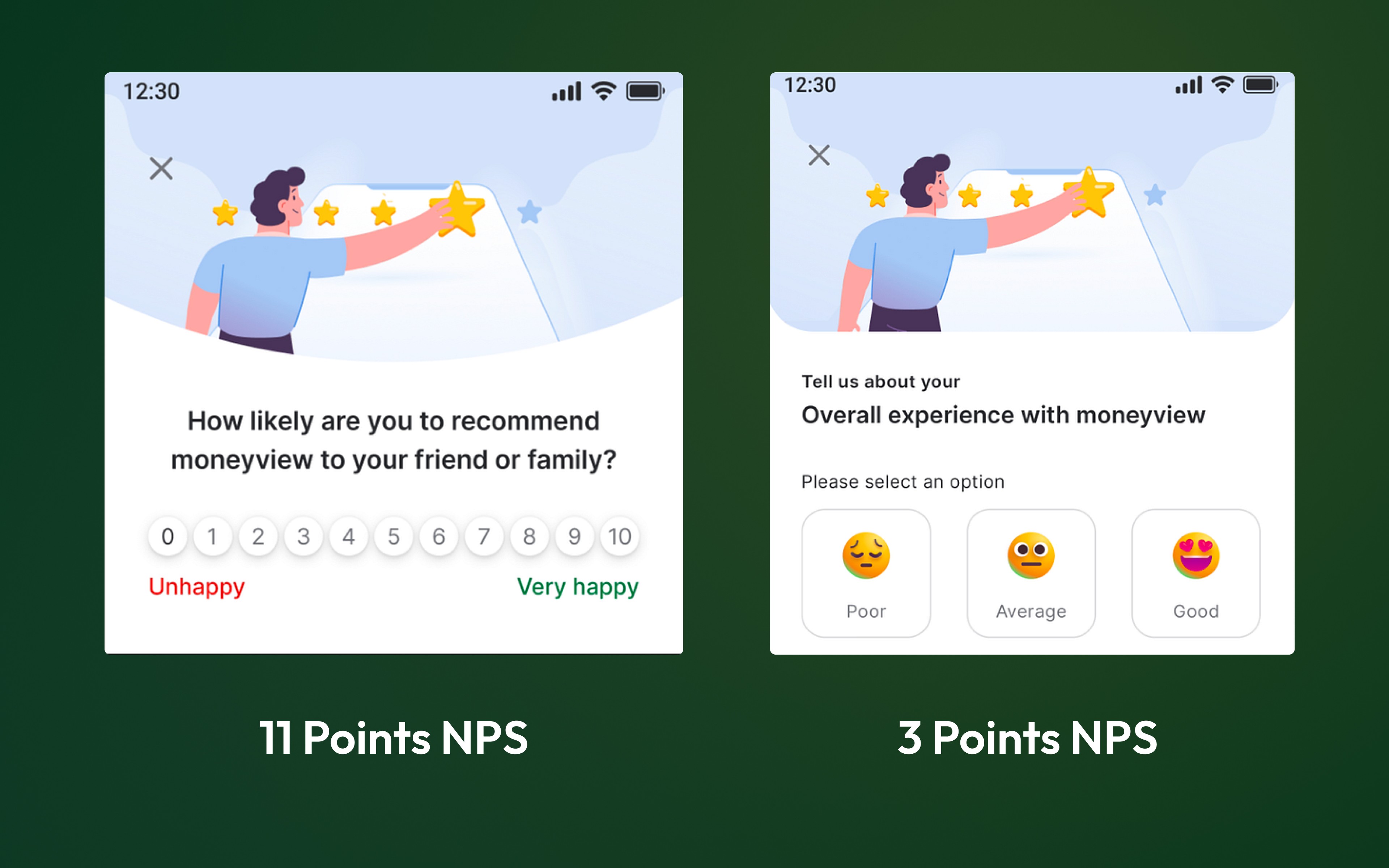
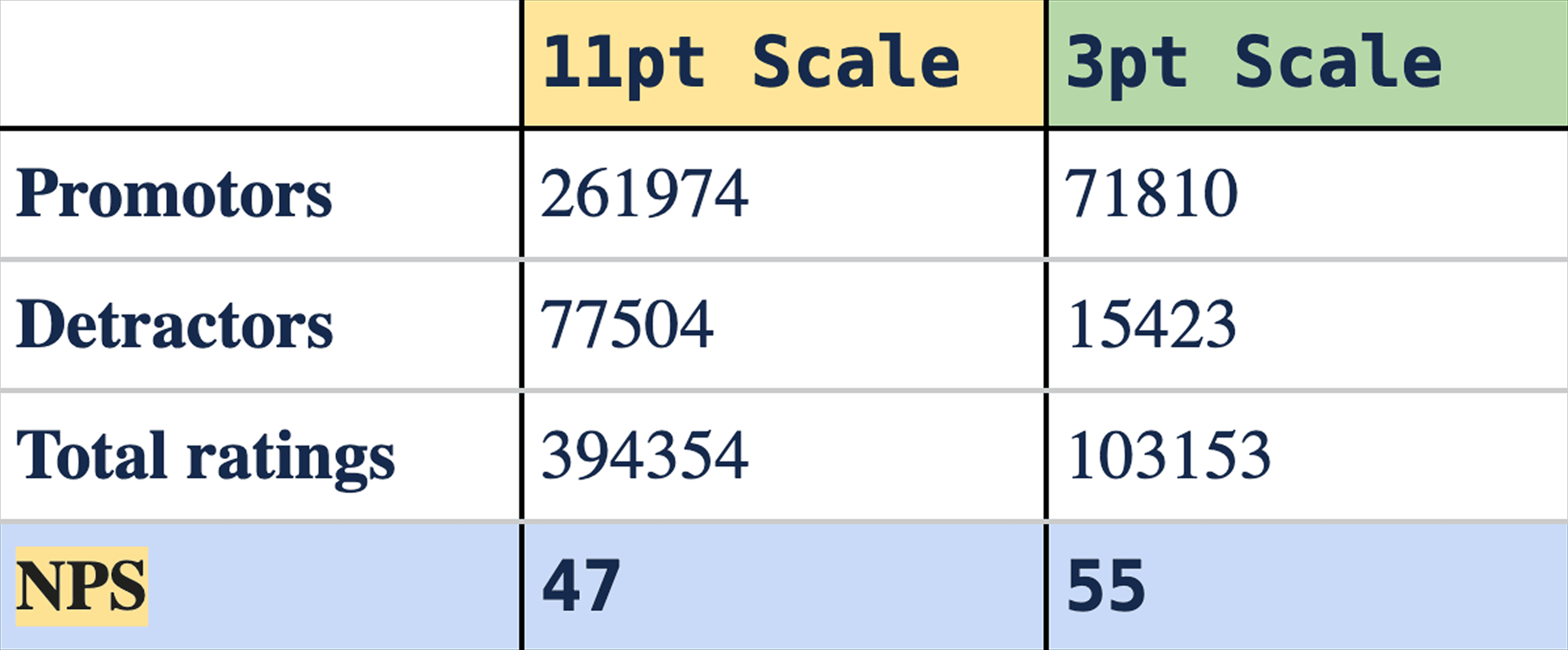
The last month's data gave us the following results:
📍Problem identified
❔
We saw multiple people giving us detractor scores but typing good feedback. (When we called ~500 people, 45% of them had given incorrect ratings due to the lack of understanding and re-rated us to become promoters)
❔
Users are confused on a 0–10 scale. Sometimes users rate 1, thinking it is the best rating for apps.
❔
Users are typing their friend/ family member's name in that input field (Additional comment field)- They are not sure what to write in that field.
🎯 Design Objectives
✦
Enhancing Clarity: To help users understand this screen as a rating screen
✦
Minimising Ambiguity: Address the confusion associated with 0/1 ratings, ensuring users accurately evaluate apps without unintentional mis-ratings
✦
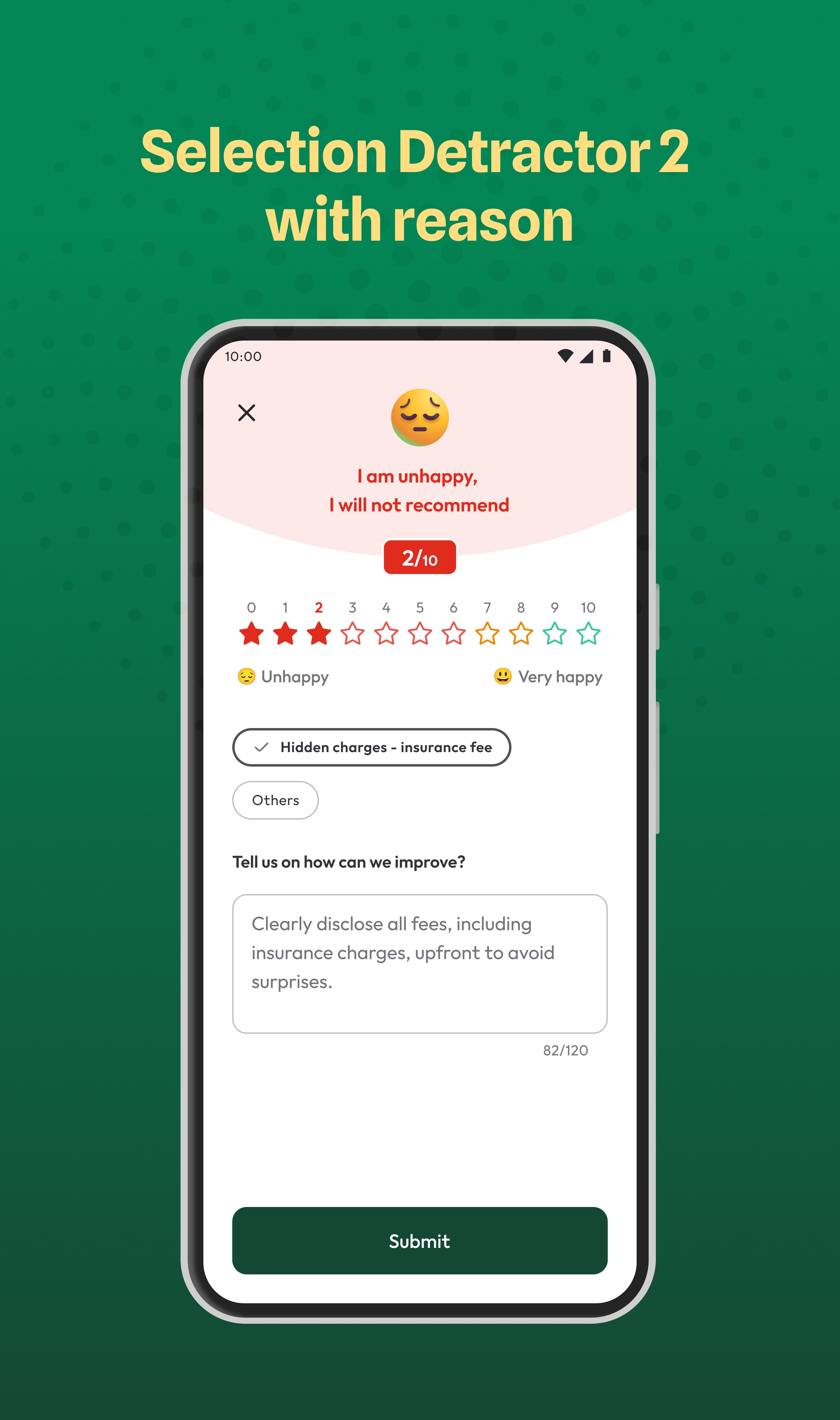
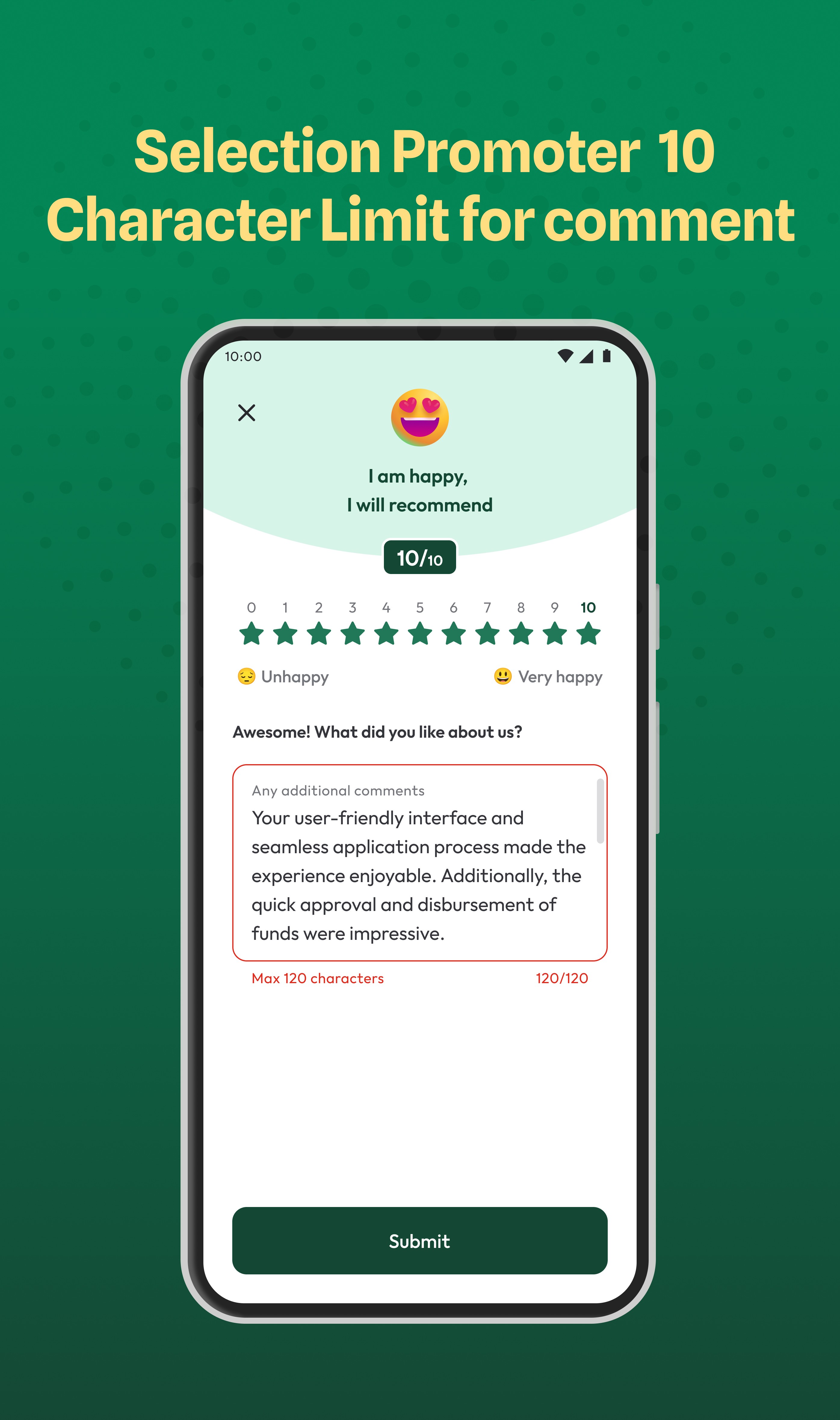
Reducing errors: Providing better clarity on what to write in the additional comment box
✦
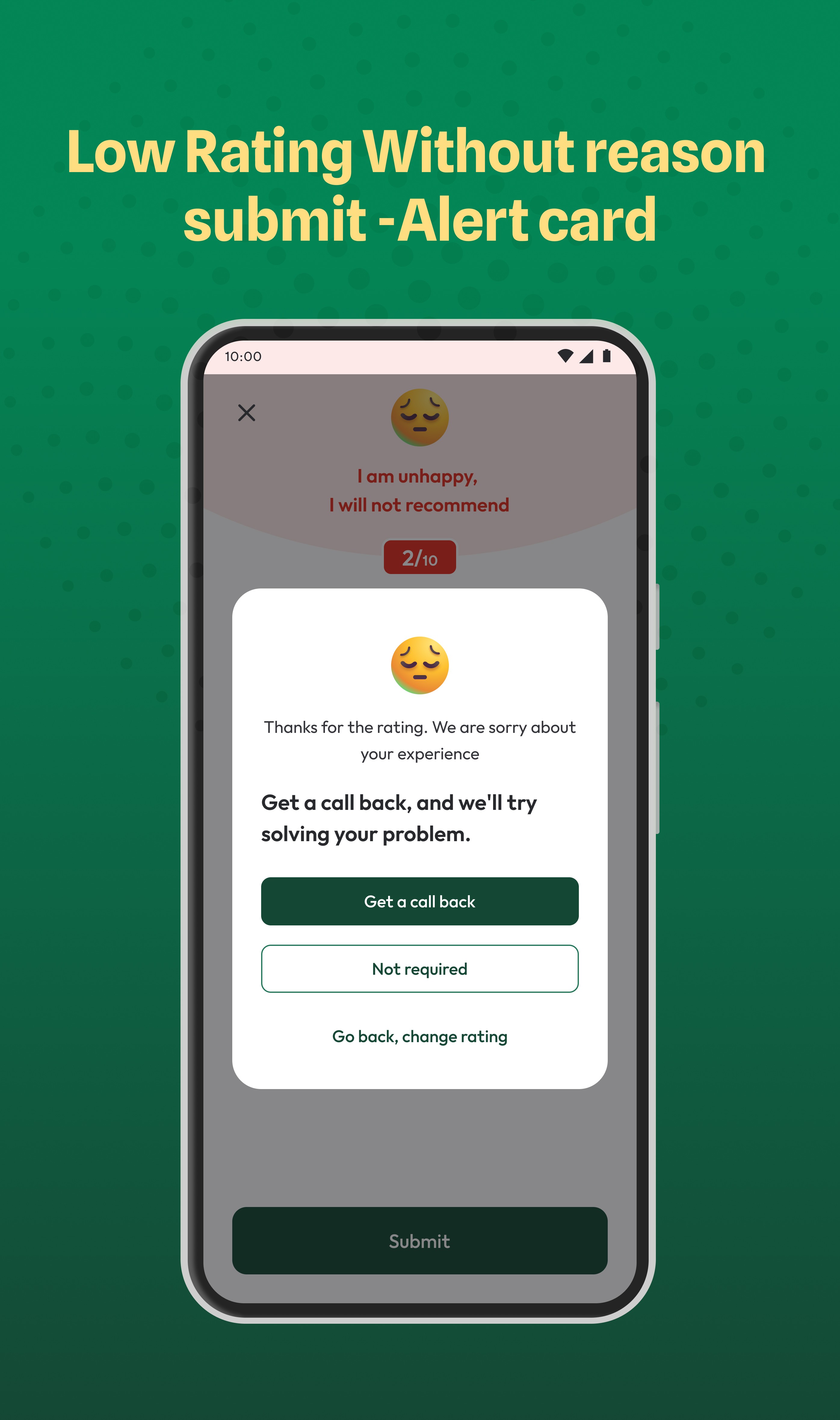
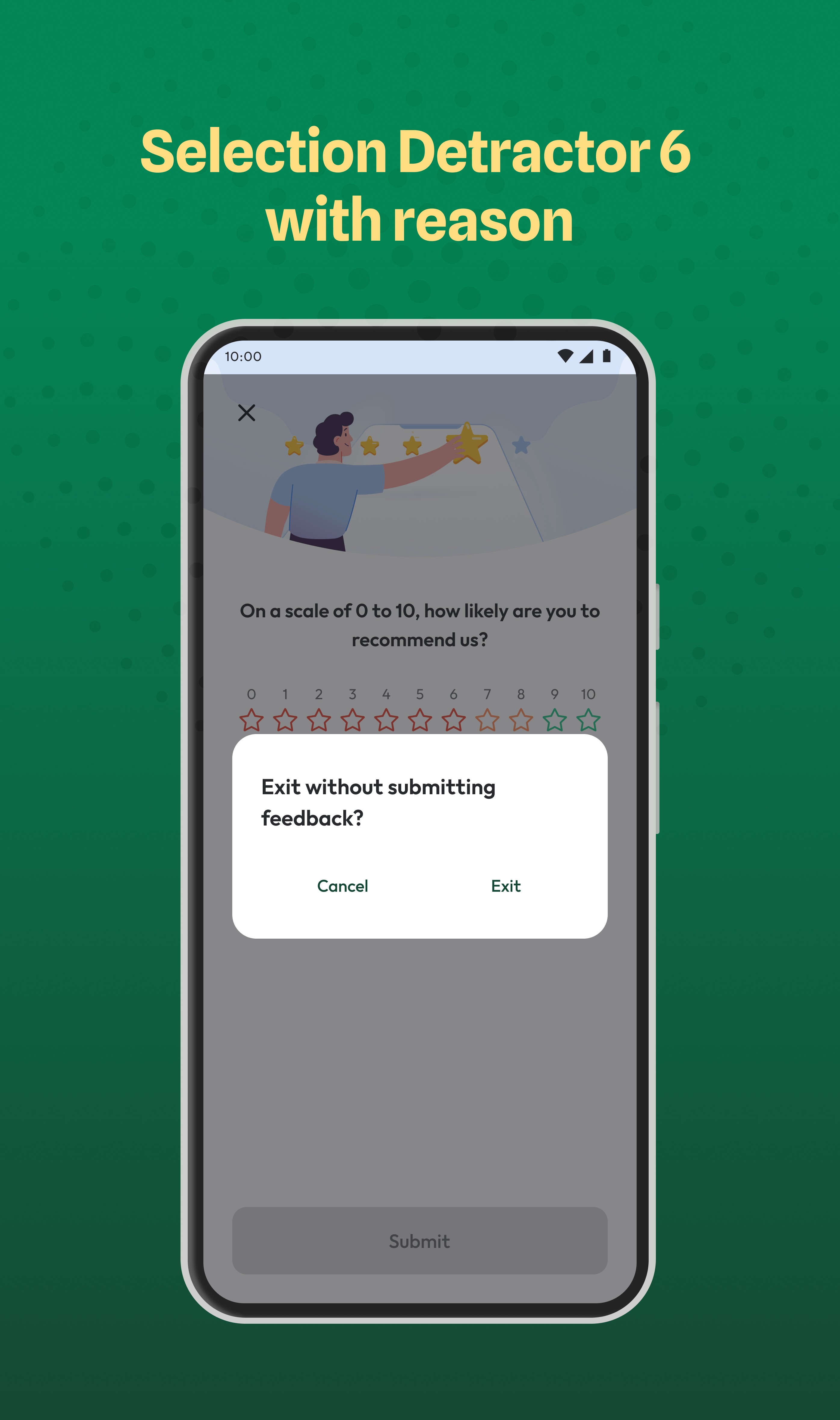
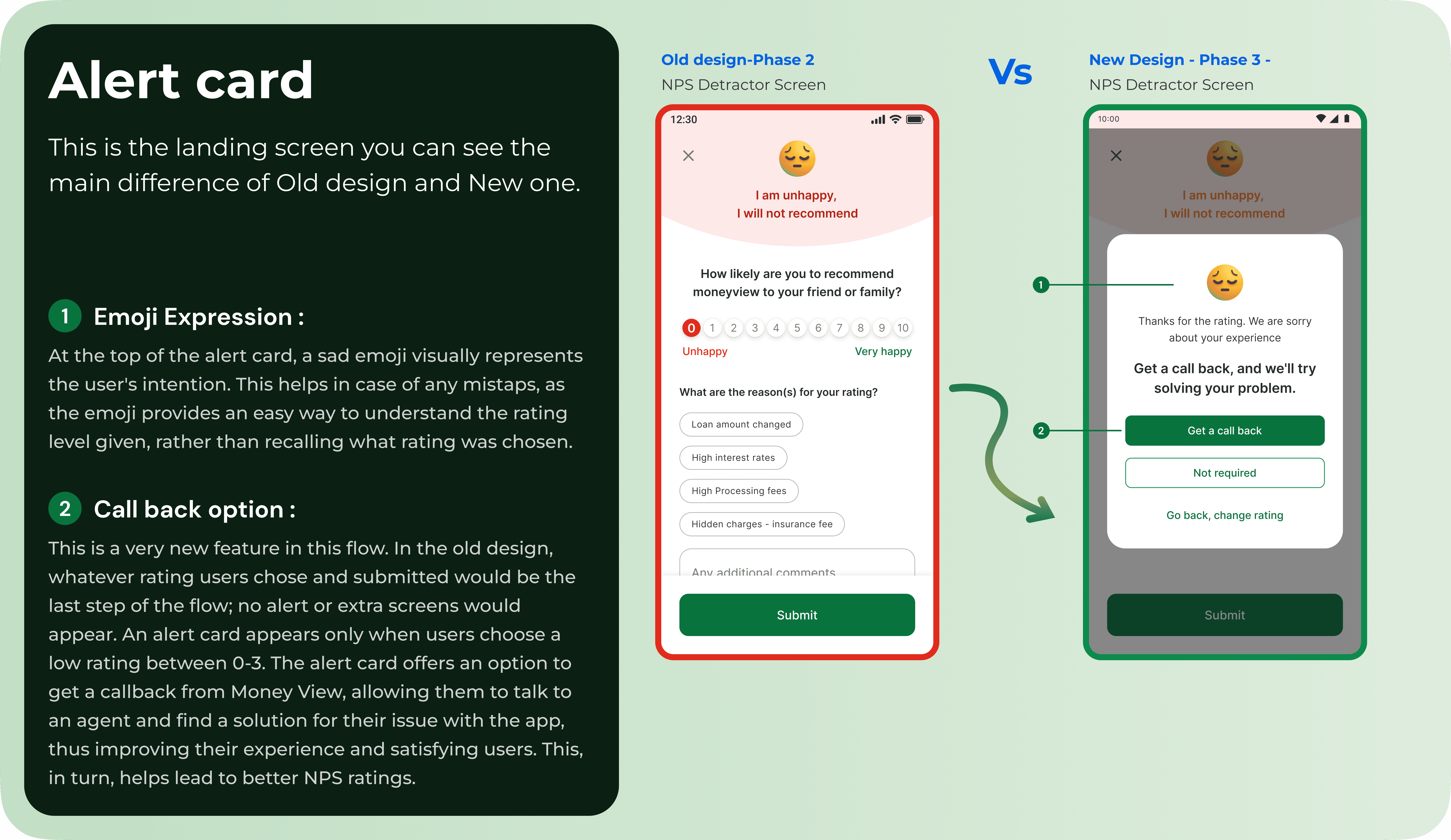
Asking for confirmation: if someone gives us a detractor score, we need to ask if they are sure with a pop-up — showing it's a bad score. We will not force them to rate us as well, but we want them to be sure if they are rating us badly.
✦
Collecting feedback: When someone gives us a low score (0–2), we aim to understand their problems better so we can prevent similar issues in the future.
📒 Business objectives
Improving our NPS score:
◆ Current NPS is 52–54,
◆ we need to take it to >60.
Improving NPS attempts
◆ Increase the number of people giving us NPS every day.
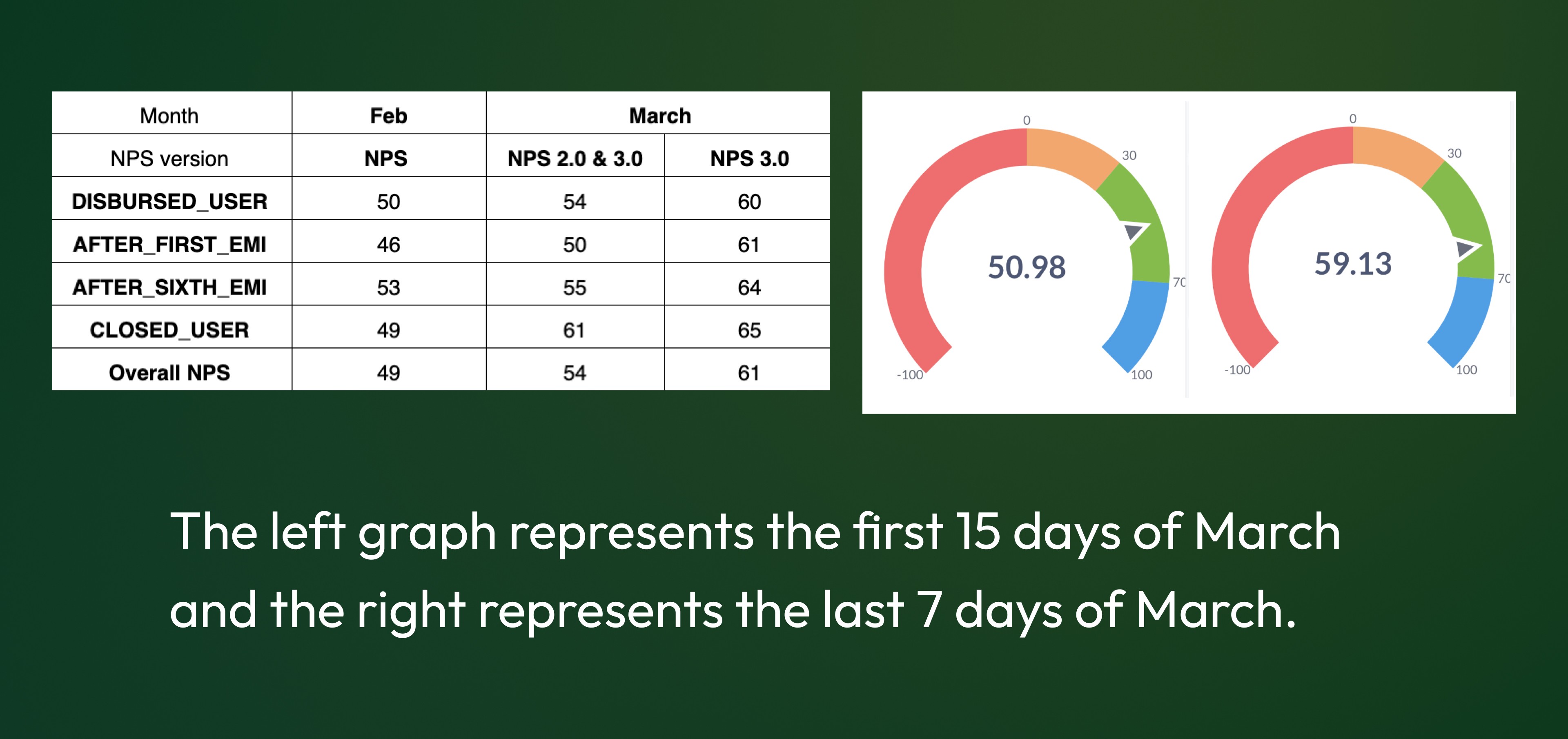
⚡️ Impact Highlight → The new design achieves beyond-expected NPS results
"Our goal was to achieve an NPS of more than 60, as it was previously at 47. Phase 3 of the NPS project went live in March, and I’m thrilled to share that we not only reached our target of 60 NPS, but surpassed it with a score of 61 for March"
Feeling curious🧐 about how we did this? Keep reading to see the magic behind these amazing results! 🌟
🔎 Listening to users' calls and uncovering insights
After identifying what needed to be solved, I began my research by reviewing the provided customer audio call recordings. I carefully listened to each recording and uncovered some valuable insights.
Key insights
𝟣
Most of the users are happy with the service provided by the Money view.
𝟤
They don’t have any intention of giving a low rating.
𝟥
Most of the users are under grade level in education, so they are not sure of NPS.
𝟦
Lack of knowledge of the NPS scale so they are completing the survey with incorrect rating.
𝟧
There is no information on the screen for users on how to complete this survey.
💡Initial list of project ideas based on research insights
Idea 1
Make a scale pointed in colors for better visual appeal and also to show the difference between all 11 pointers and highlight that selected pointer with a border.
Idea 2
Make the scale of the progress bar, the scale should show the numbers, and below the bar, the pointer should show the relatable Emoji. It is functional with a tap on the scale and also on the number.
Idea 3
Give the scale with emojis rather than the number, and place the number below the scale so users can easily understand what scale is for what emotion.
Idea 4
We can show the scale in a circle rather than the horizontal. In the middle of the scale, we can place related emoji and numbers around that emoji. Whenever you tap on any number, the emoji will change accordingly.
💡Idea 5
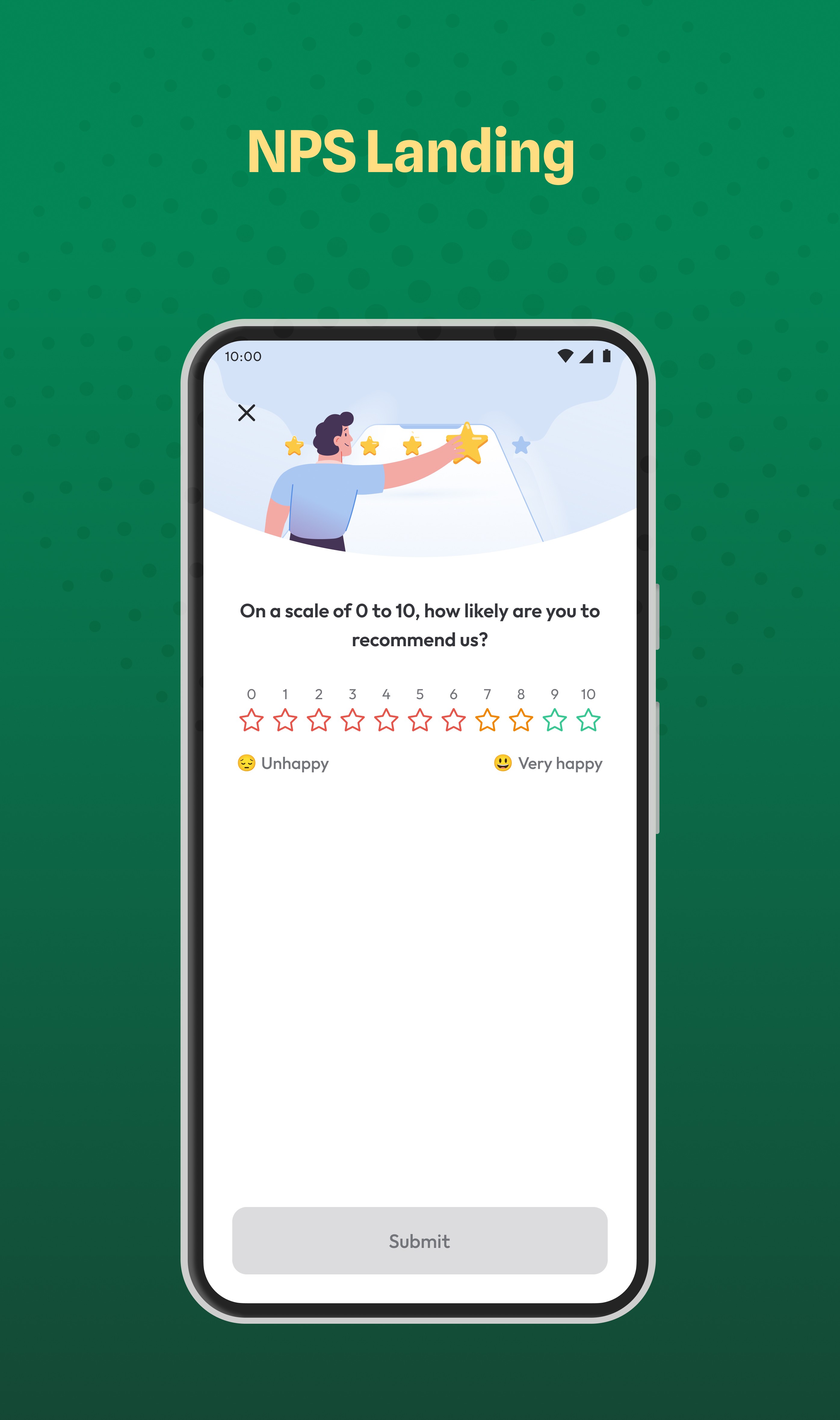
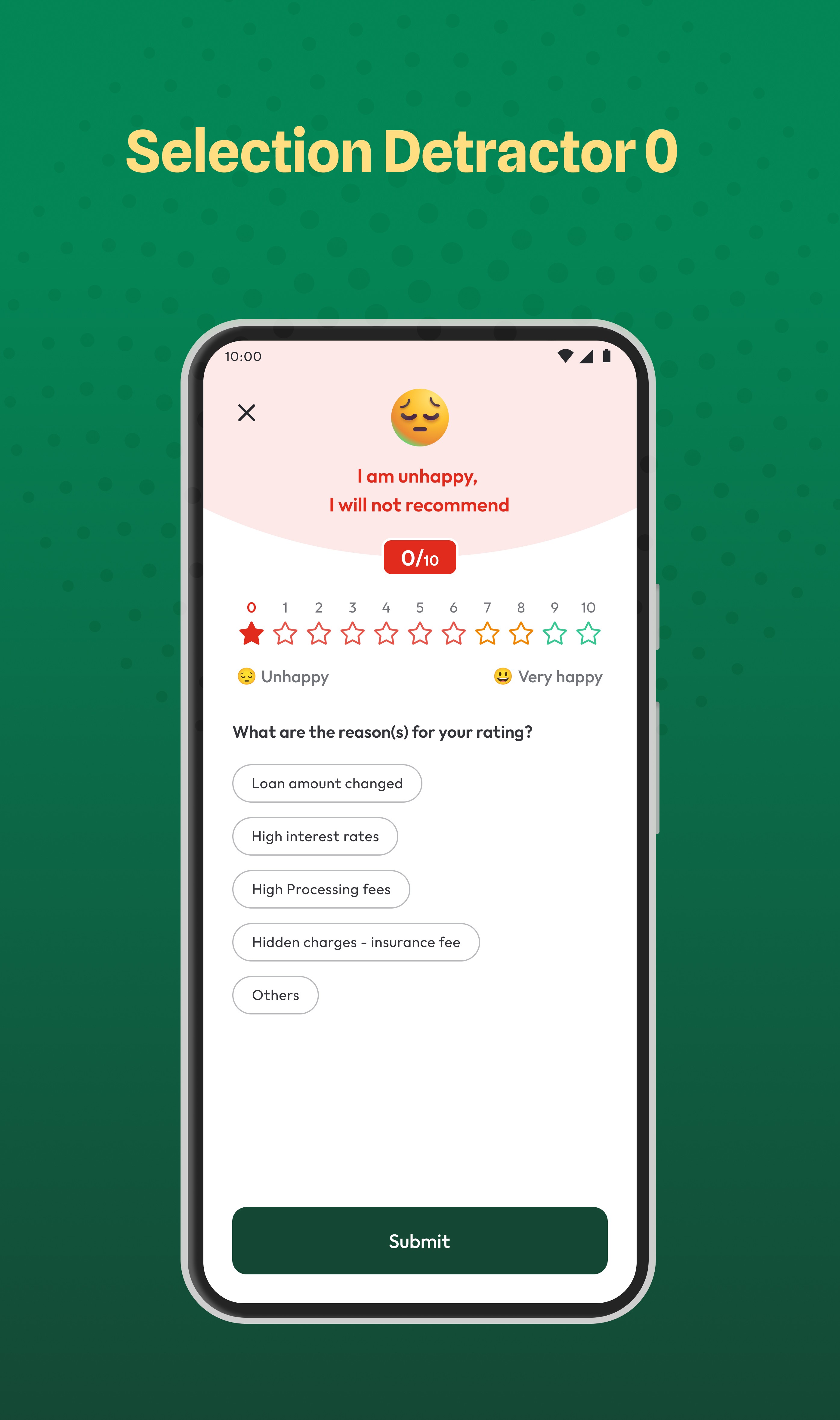
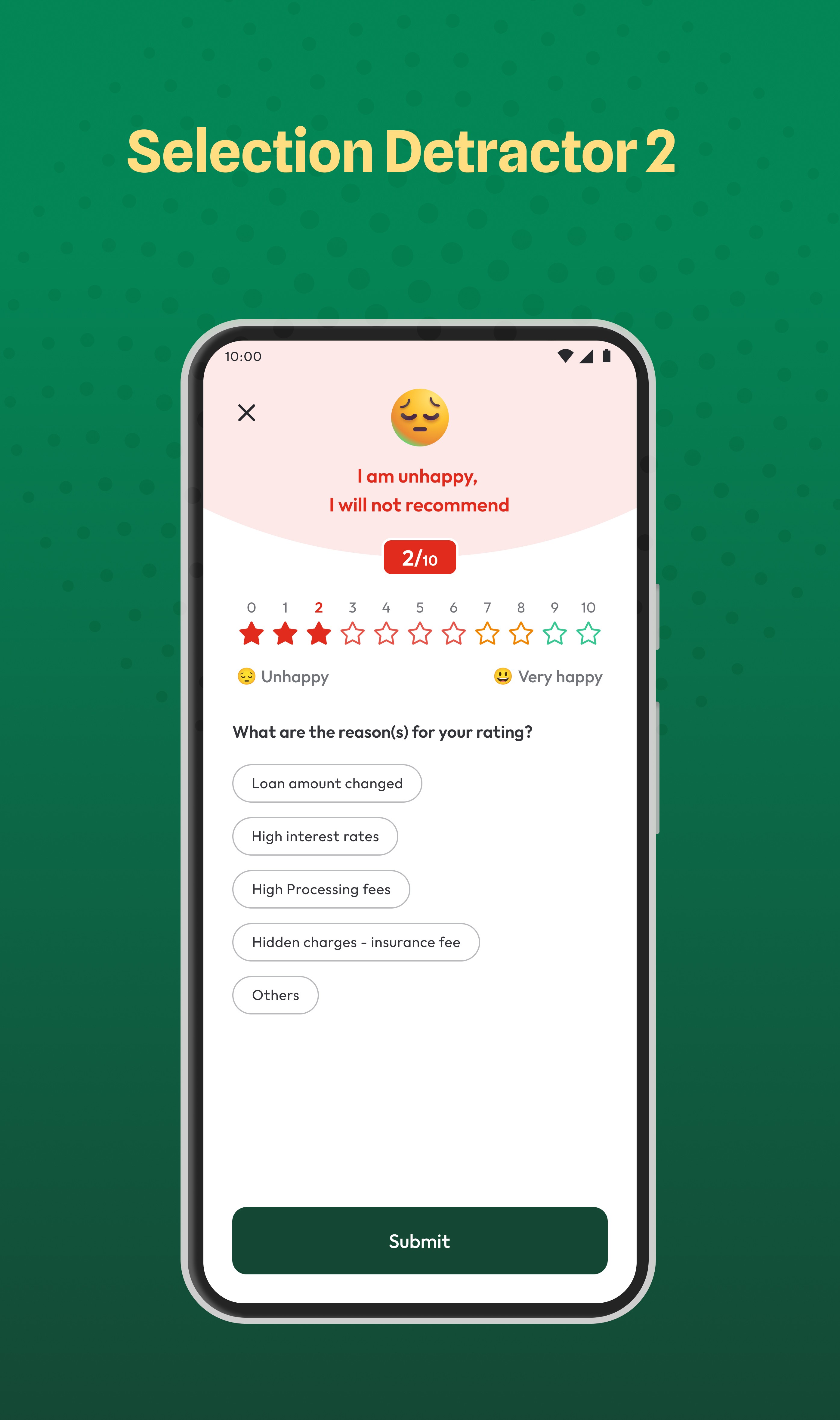
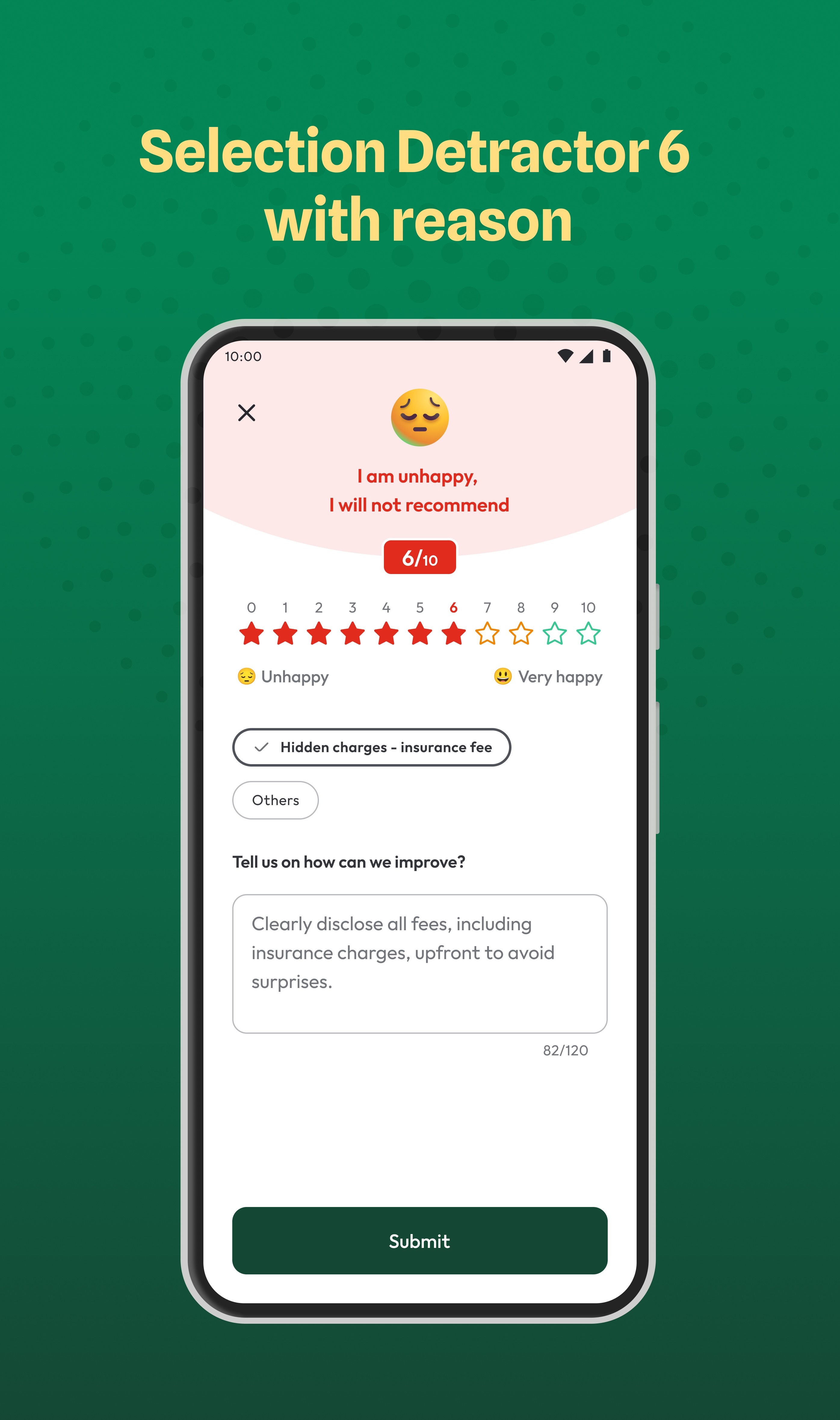
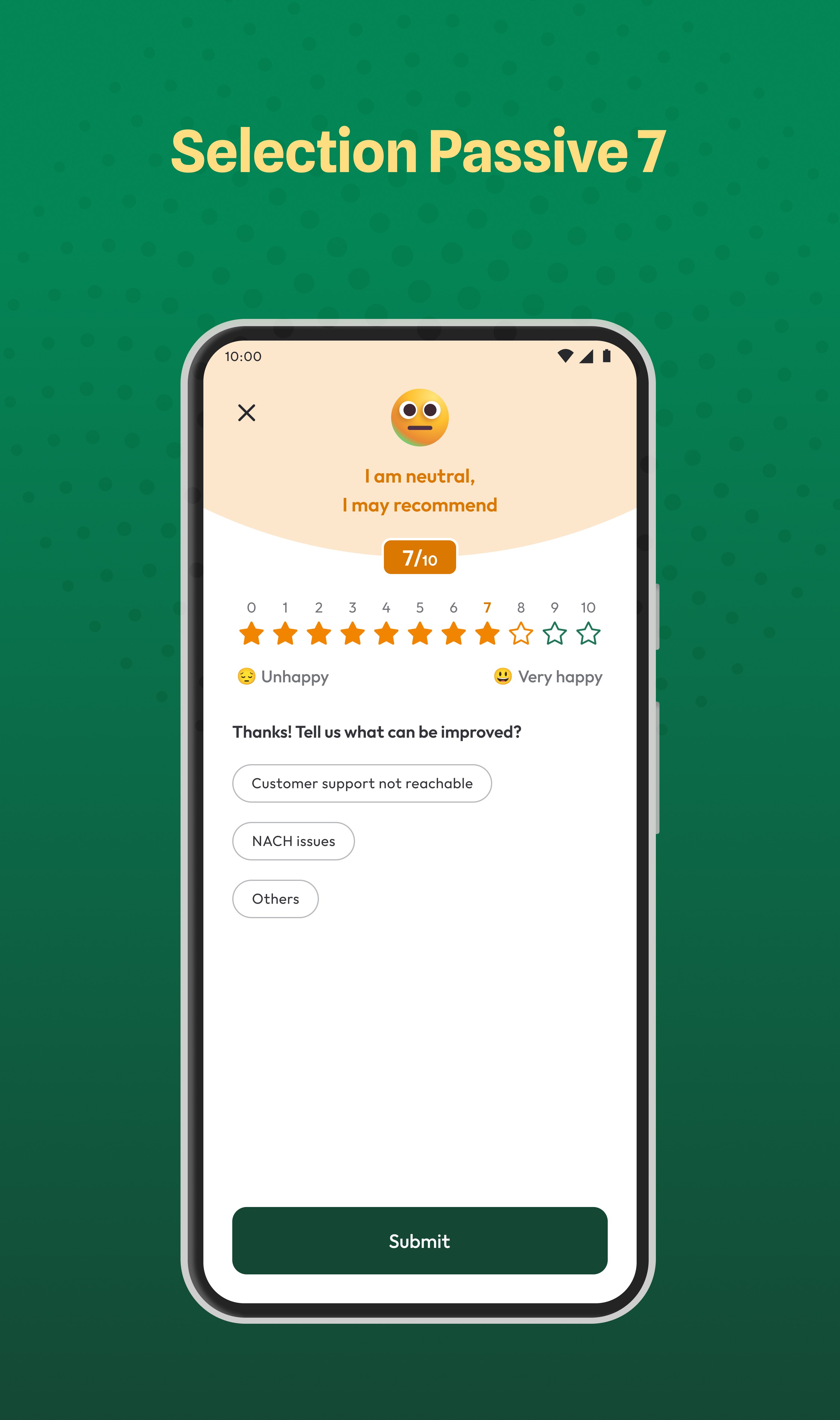
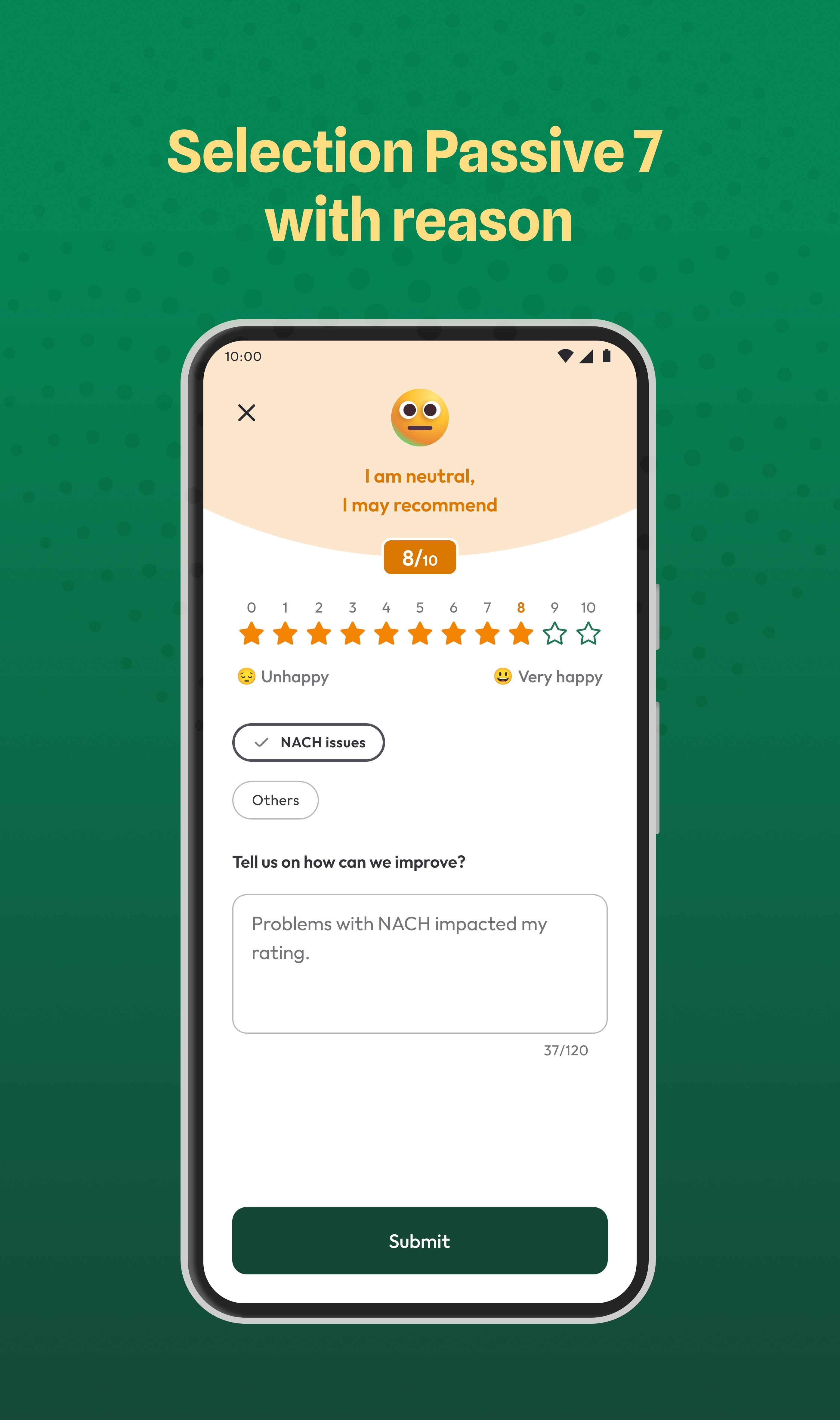
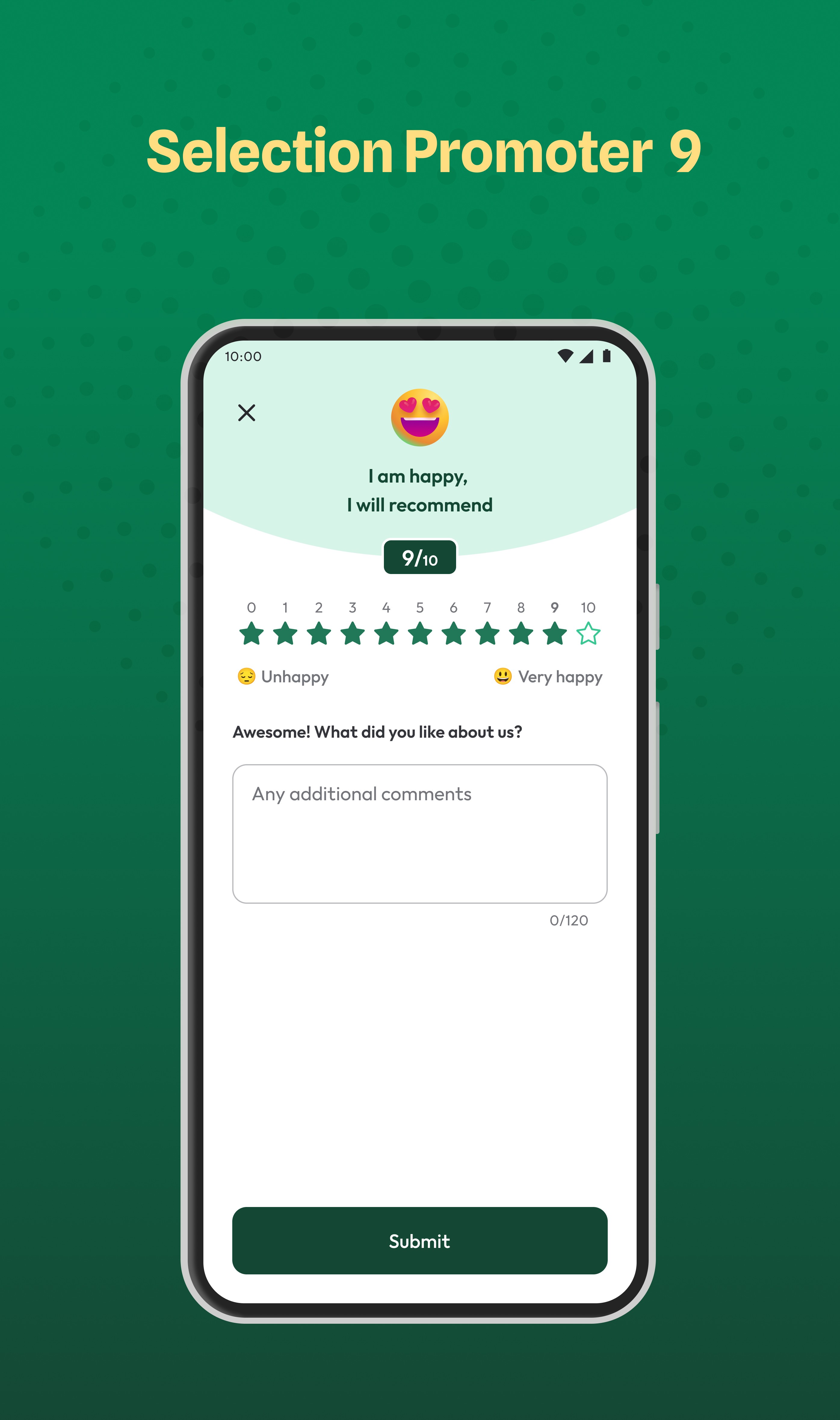
Show the NPS scale with stars with numbers inside rather than emojis or only numbers, so users can easily understand those are rating numbers, users are already habituated to giving ratings in other apps so easy to understand the concept. But should give stars with different colors with the name of the emotion below the number accordingly.
After discussion with the team, 5th idea was agreed upon, and many things have changed as we move forward based on feedback and new requirements.
The user flow is also planned in a such way that users can understand easily. Once users select a rating → List of reasons will appear → if users select any reason → then a comment box will appear for adding feedback.
Why it won:
I used stars because people instantly recognise them as ratings, which makes the screen easy to understand. Adding numbers kept the NPS standard, while colour coding and clear labels reduced friction and confusion.
🎨 Turning concepts into UI visuals brings ideas to life, giving them form and functionality. (UI)
When it comes to the UI, our major goal was to ensure that it’s easy to understand, especially for users with lower levels of education. So, we put extra effort into the UI, focusing on the user experience UX behind the UI.
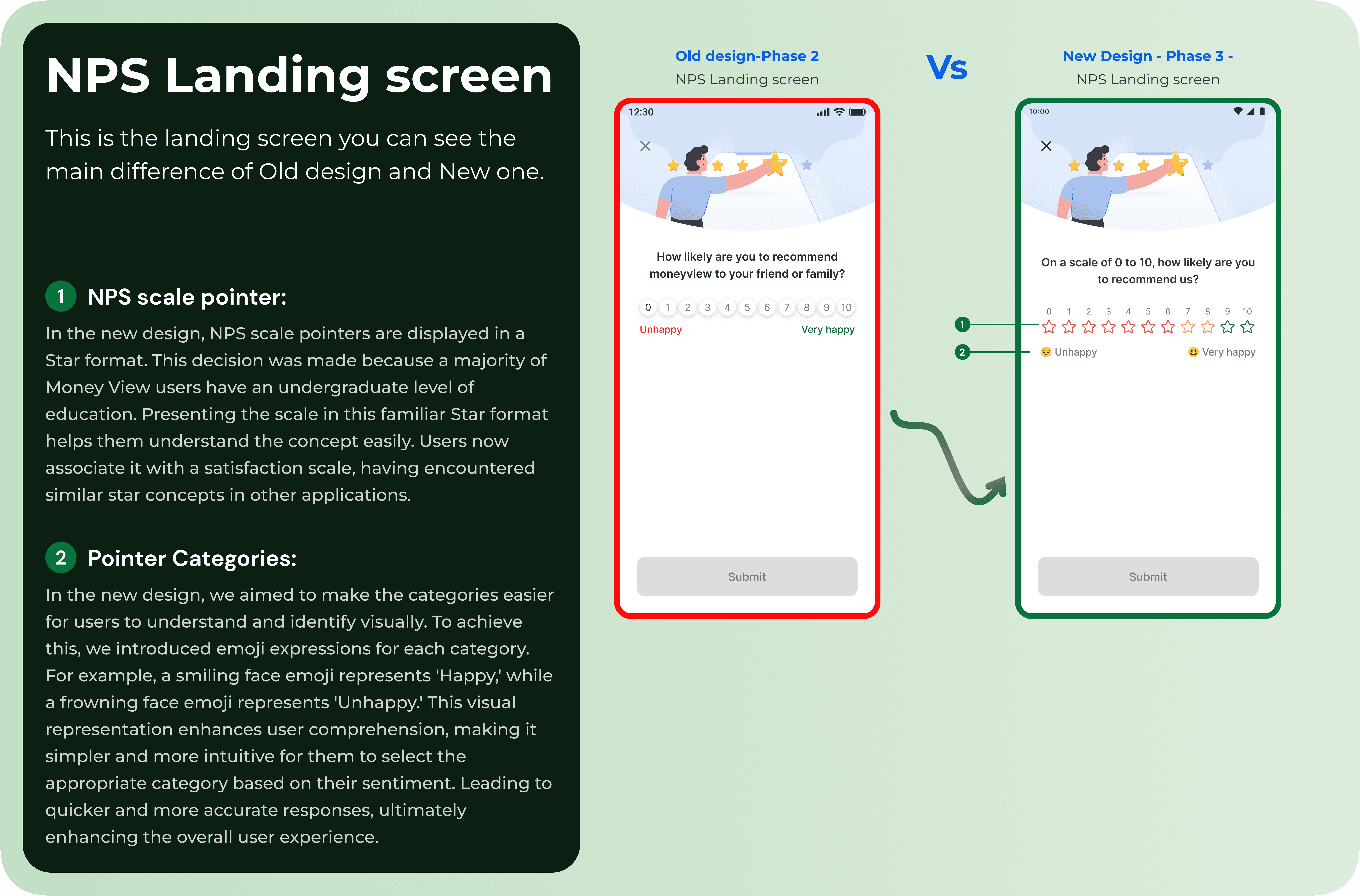
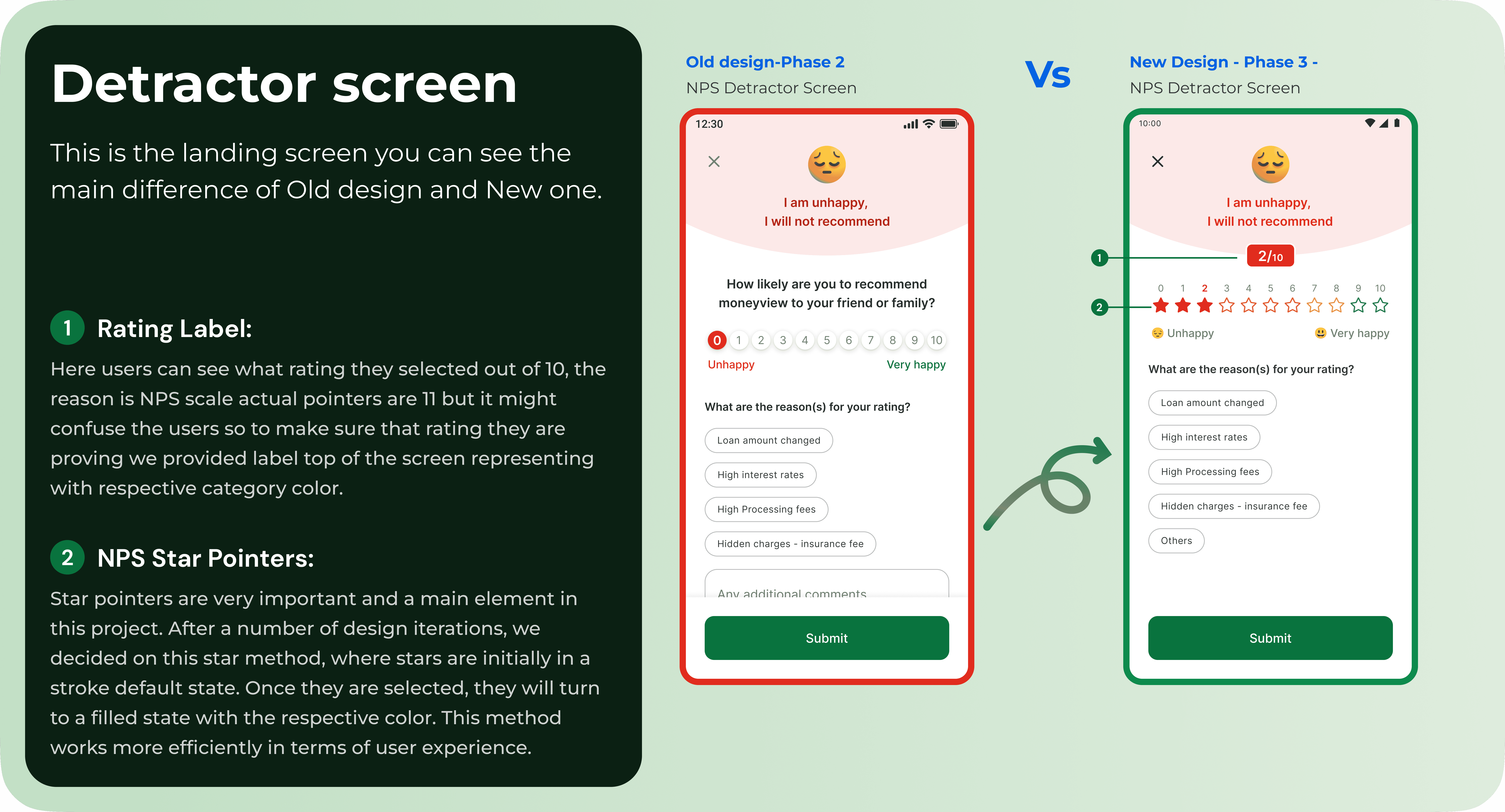
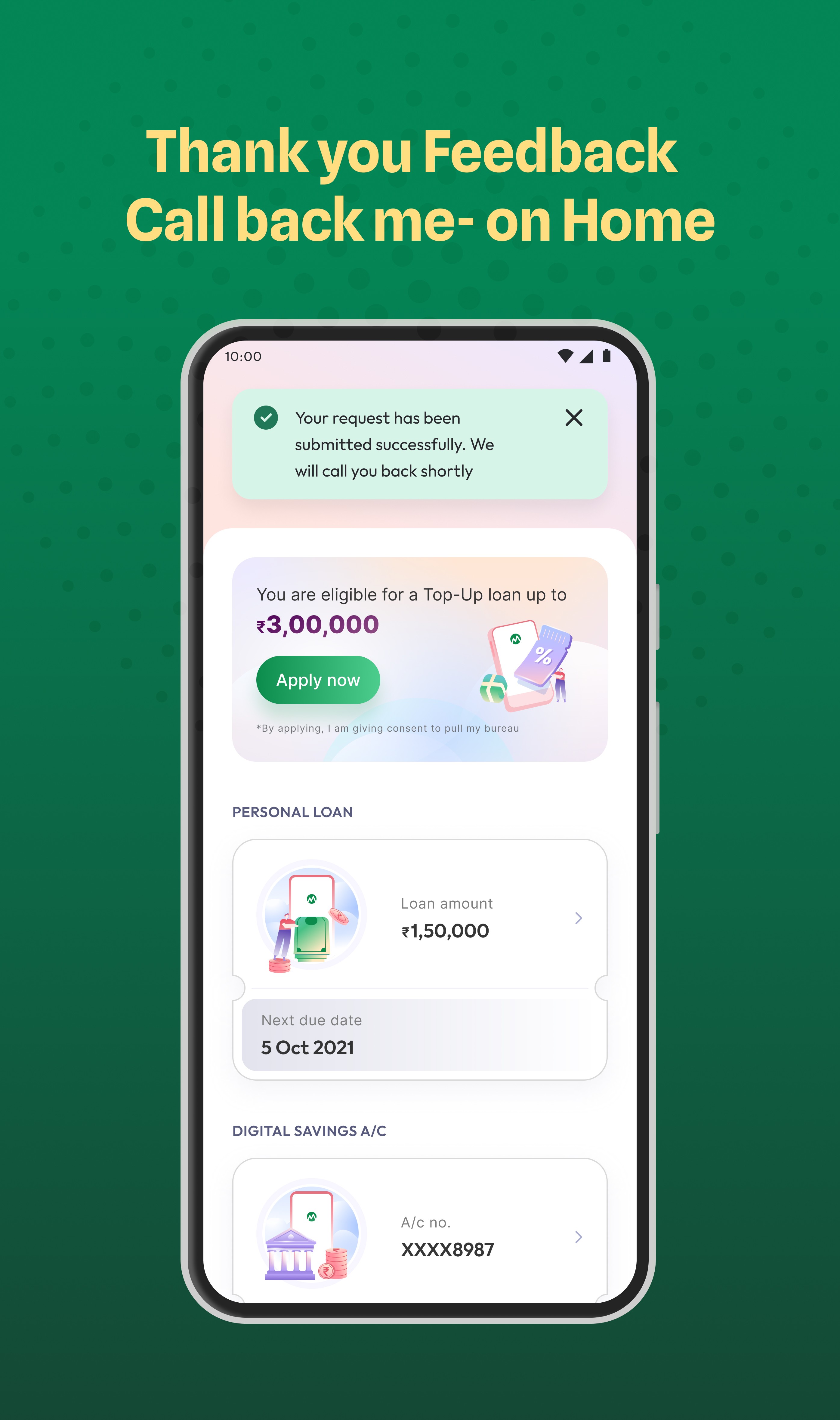
Additionally, I wanted to mention a feature not included in the initial ideation or wire-framing stages: the “Call Back” option added in the middle. This feature allows users to request a call back from MoneyView, if they give a low rating. This way, users can address their issues with a MoneyView agent over the phone. Because of this change, there are changes in the flow during the process. You can see this major change in the new design in the below image with reasoning.
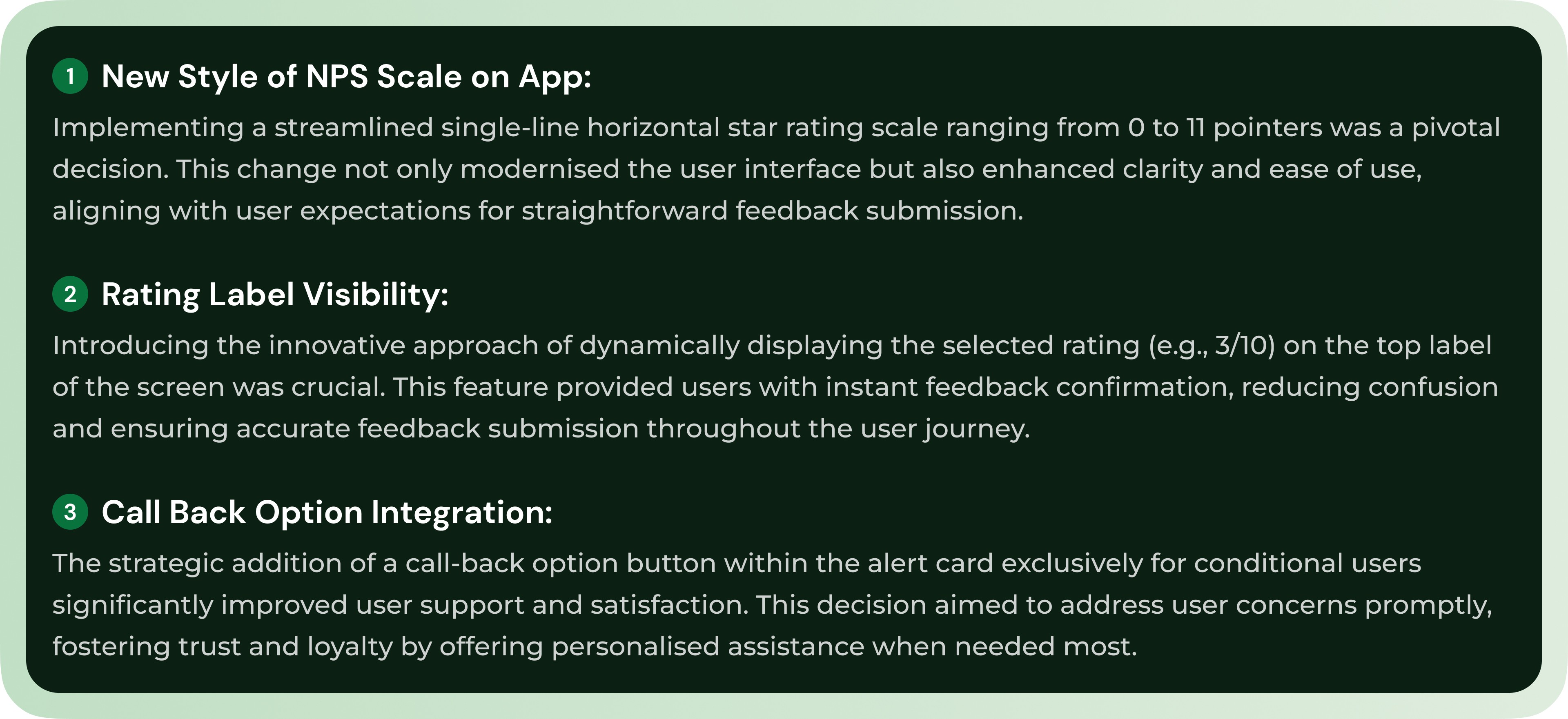
Critical decisions
In this section, I outline the crucial decisions made throughout the project, which significantly impacted the final outcome.
🎨 Final User interface screens
Explore the provided images of the user interface to see the complete flow in action. These screens illustrate the redesigned steps, visual elements, and interactions that enhance user engagement and contribute to the improved NPS scores.